And there's a lot more built in.
Orbiterm isn't just a terminal — it's the rest of the toolbox developers keep switching windows for, brought into one app.
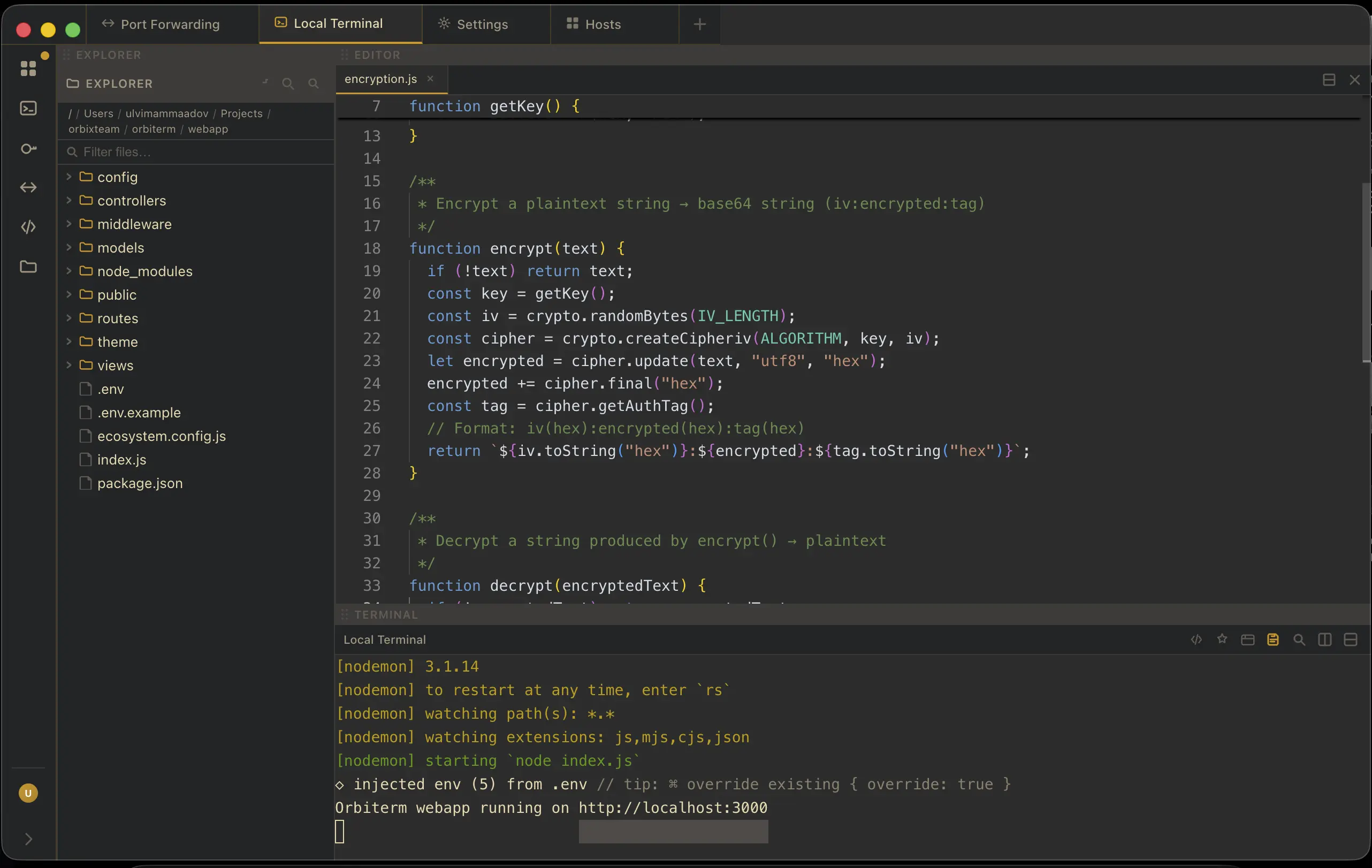
Integrated code editor with file explorer
Browse local or remote files in a dedicated explorer drawer and open them straight into a full Monaco editor — the same engine behind VS Code. Syntax highlighting, multi-file editing, and save-in-place, without ever leaving your session.
Web browser with dev tools
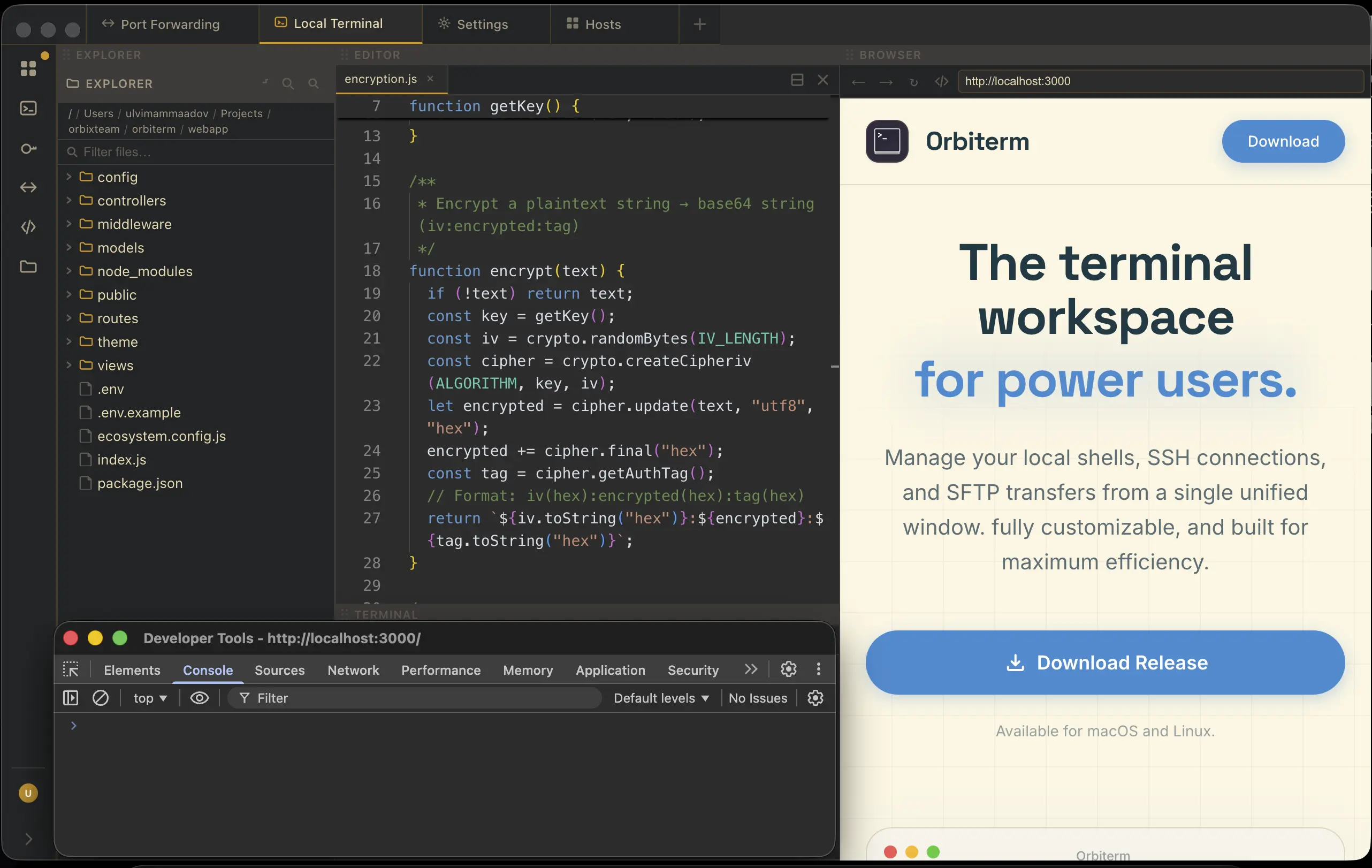
A real browser tab lives right next to your terminals. Preview a local dev server, hit an internal dashboard, or open DevTools to inspect network requests and console output — no alt-tabbing to Chrome.
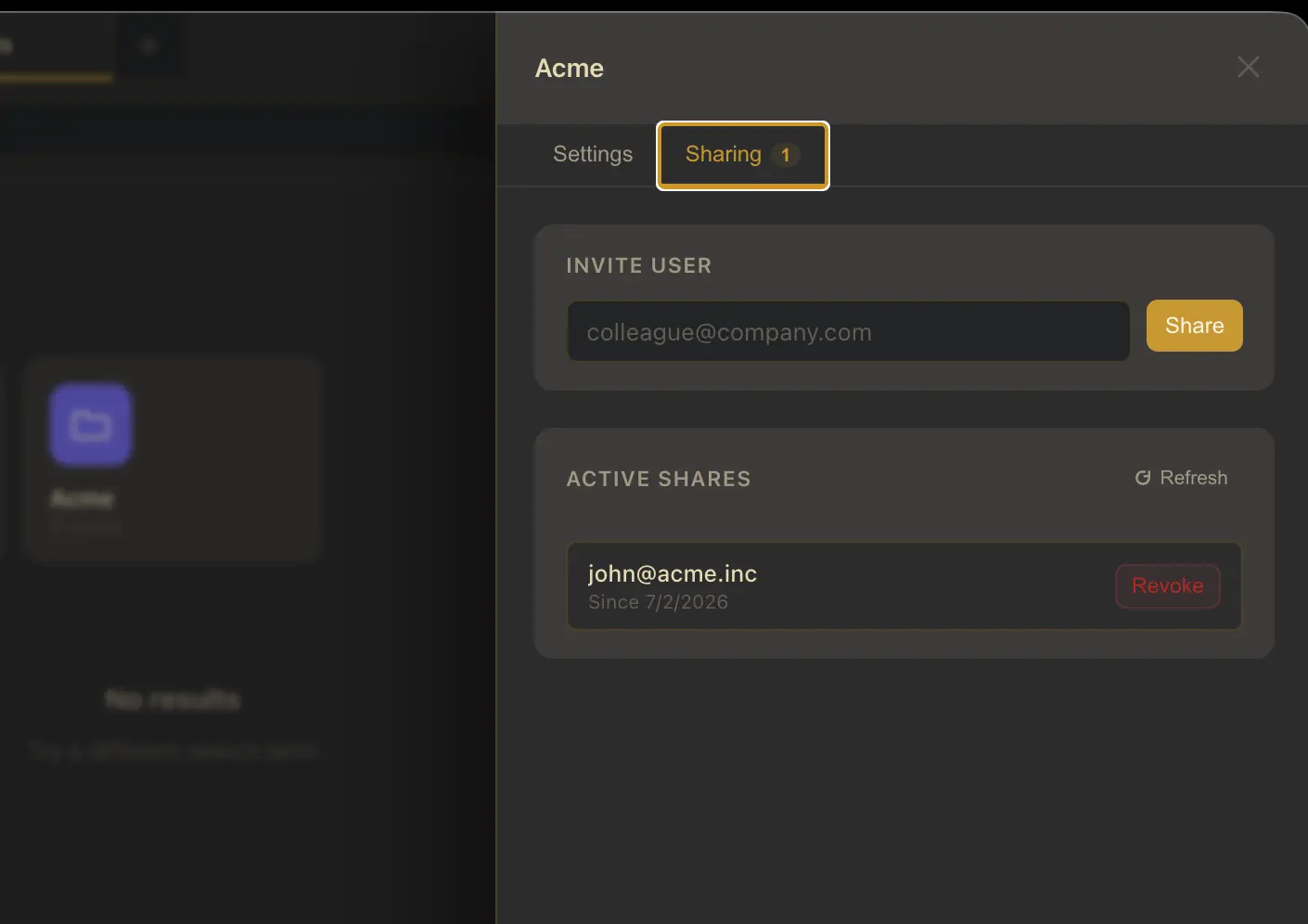
Group sharing with your teammates
Share a group of hosts — and optionally the SSH keys they need — with a teammate by email. They get instant access to connect, and you never have to paste a private key into Slack again.
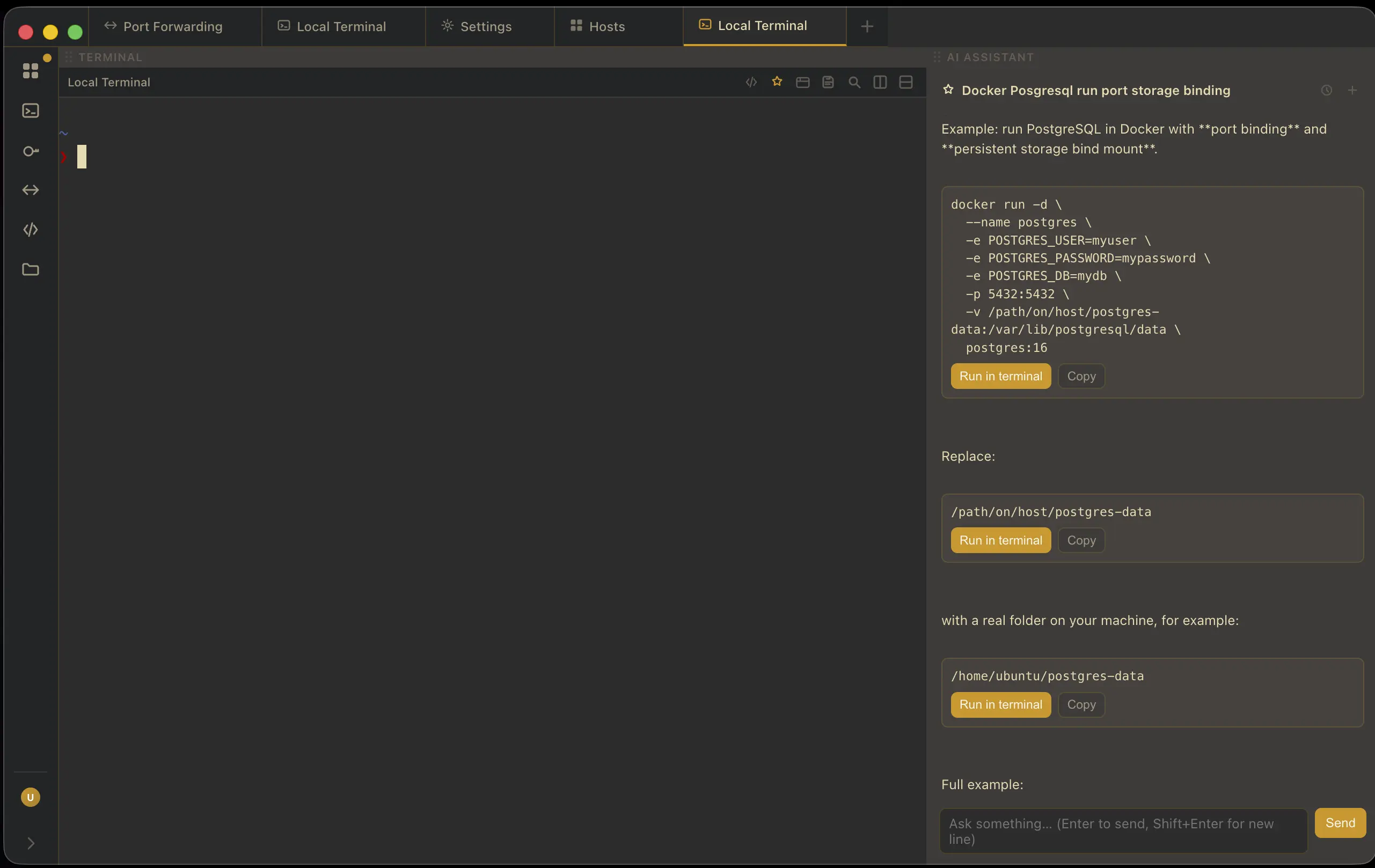
AI assistant, right in the terminal
Open a chat drawer next to any session and ask about an error, the right flag, or a one-liner — with the answer just a paste away from your prompt. Bring your own Anthropic or OpenAI API key.
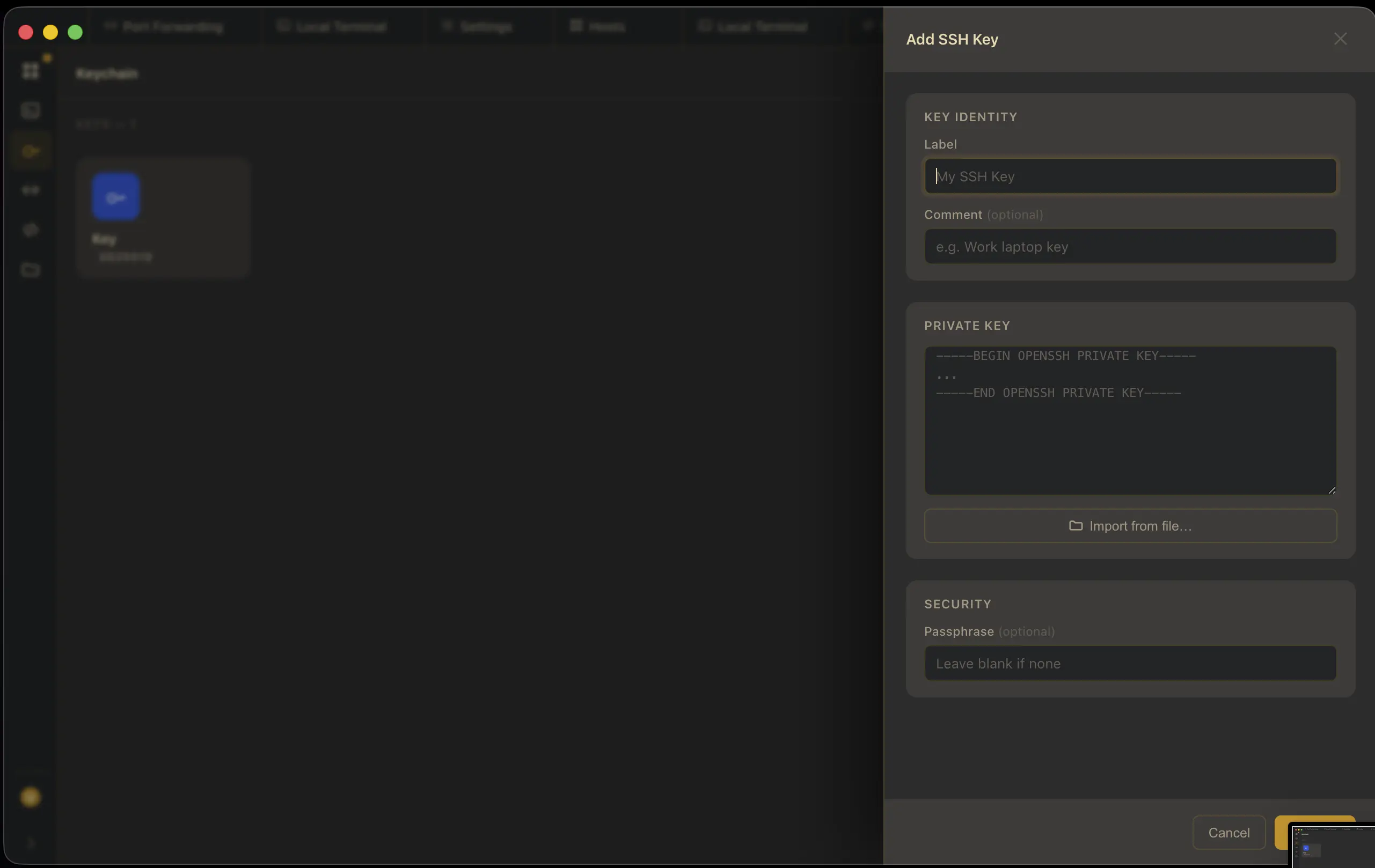
Built-in SSH keychain
Generate ED25519, ECDSA, or RSA key pairs, or import the ones you already have. Every key lives in one vault and attaches to any host in a click — no more hunting through ~/.ssh.
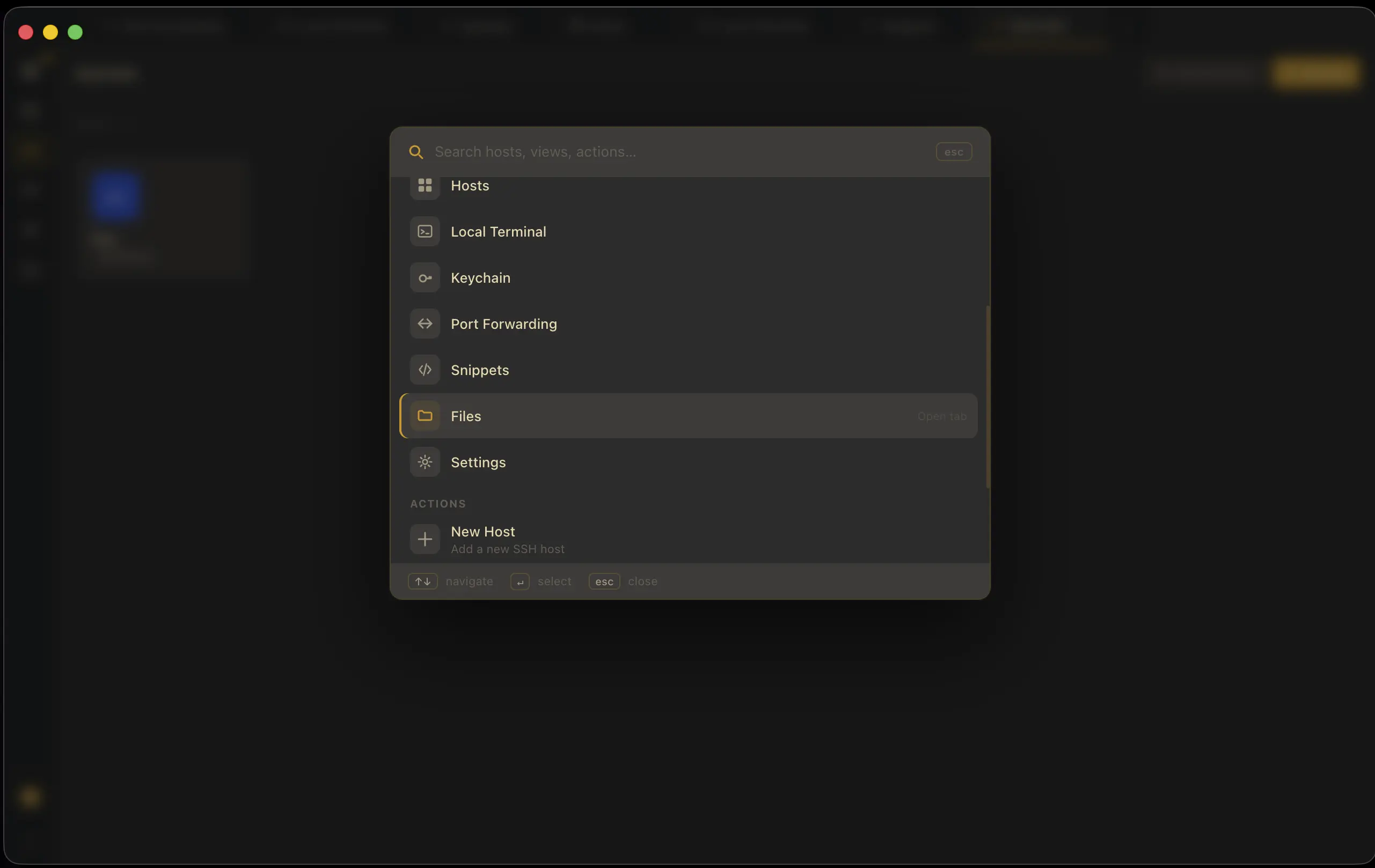
Command palette for everything
Hit ⌘K to jump straight to any host, view, or action — hosts, snippets, keychain, port forwarding, settings — all searchable without touching your mouse.